กลุ่มเพื่อนและชุมชนเล็ก ๆ ต้องกระจายกันอยู่หลายแอป แชทอยู่ที่หนึ่ง คุยเสียงอีกที่หนึ่ง โพสต์อีกที่หนึ่ง และแอปใหญ่ ๆ ก็เอาข้อมูลเราไปทำอะไรก็ไม่รู้ ทั้งที่แค่อยากมีที่คุยกันเงียบ ๆ ของตัวเองFriend groups and small communities end up scattered across apps — chat here, voice there, posts somewhere else — while the big platforms do who-knows-what with their data. All they wanted was a quiet place of their own.
← ผลงานทั้งหมด← All work
แอปมือถือMobile app
หวัดดีWadee
แชทส่วนตัว ชุมชน ห้องเสียง และผู้ช่วย AI ในแอปเดียวPrivate chat, communities, voice rooms, and an AI assistant in one app
ใช้งานจริงLive แอปมือถือMobile app
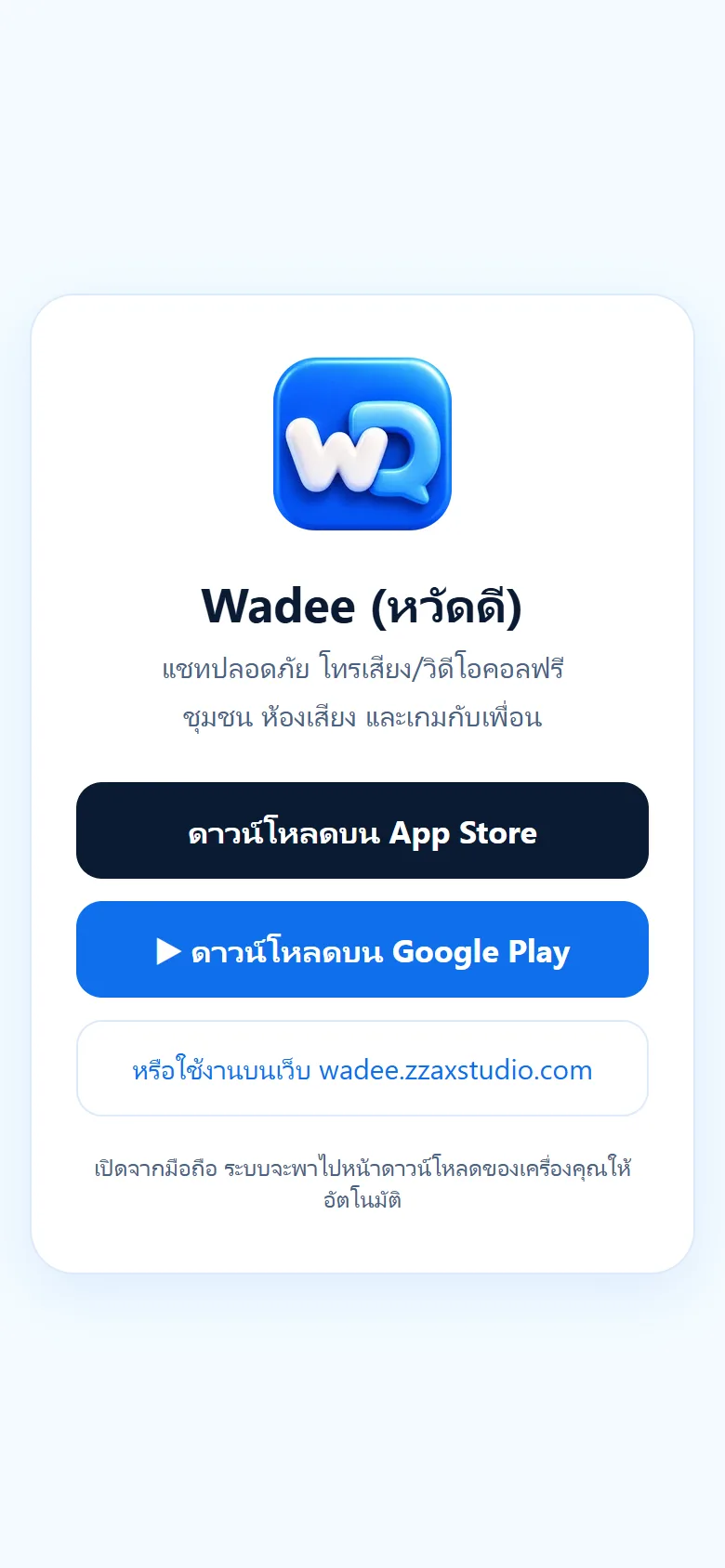
ใช้งานได้จริงทั้งบนเว็บ wadee.zzaxstudio.com แอป iPhone บน App Store และแอป Android บน Google Play แอป Android เปลี่ยนเป็นแอปเต็มตัวพร้อมแจ้งเตือนและสายเรียกเข้าเมื่อ 5 ต.ค. 2569 และปรับหน้าตาใหม่ทั้งแอปเมื่อ 3 ต.ค. 2569Live on the web at wadee.zzaxstudio.com, on the App Store for iPhone, and on Google Play for Android. The Android app became a full native app with notifications and incoming calls on 5 Oct 2026, and the whole app got a new look on 3 Oct 2026.
01 · ภาพรวม01 · Overview
ภาพรวมของระบบThe system at a glance
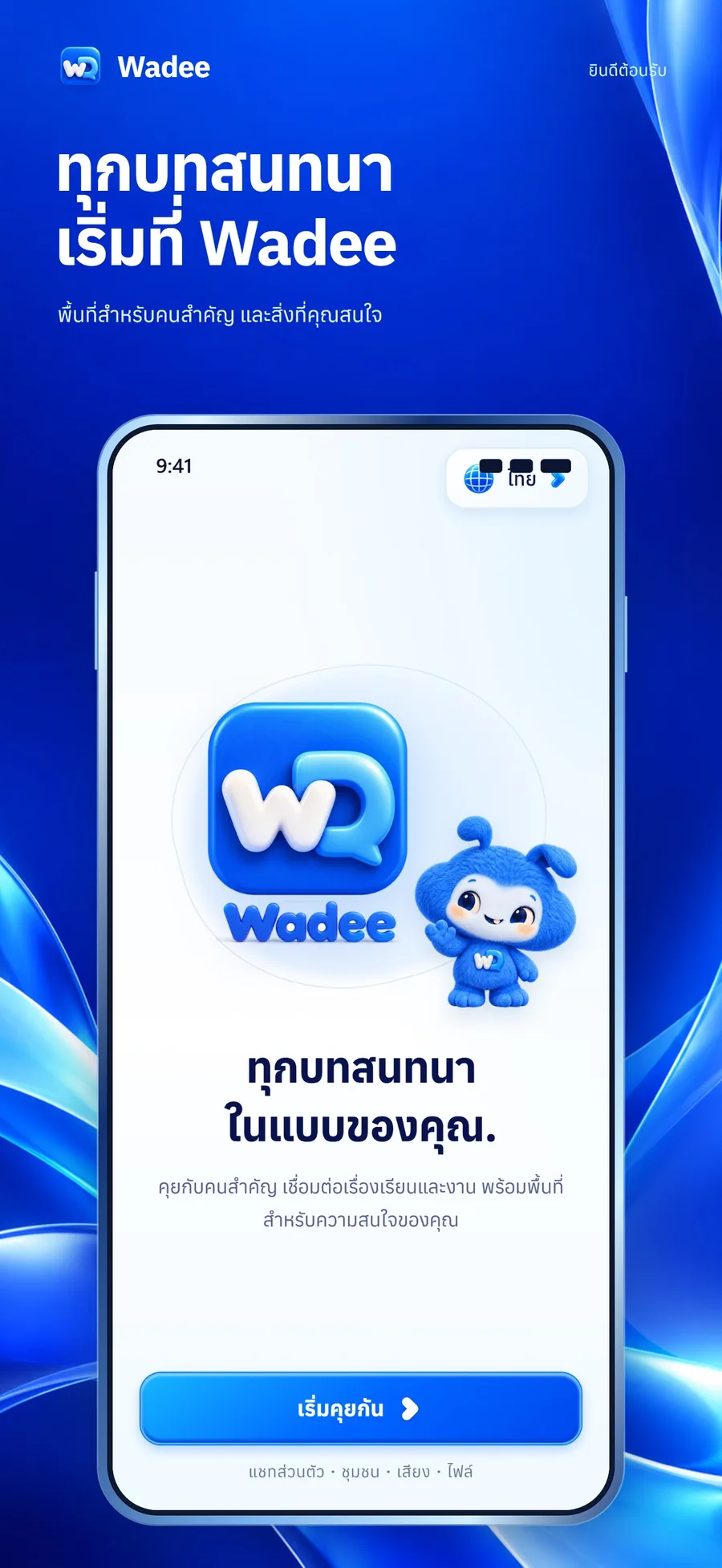
หวัดดี (Wadee) คือแอปแชทที่รวมแชทส่วนตัว กลุ่ม ชุมชน ห้องเสียง เกม สติกเกอร์ และผู้ช่วยสรุปข้อความไว้ในแอปเดียว สำหรับกลุ่มเพื่อน ชุมชนออนไลน์ หรือทีมเล็ก ๆ ที่เบื่อการต้องกระจายกันอยู่หลายแอป โดยข้อความแชทตัวต่อตัวถูกเข้ารหัสแบบ end-to-end บนเครื่องผู้ใช้Wadee is a chat app that brings private chat, groups, communities, voice rooms, games, stickers and a message-summary assistant into one app, for friend groups, online communities and small teams tired of being scattered across several apps. One-to-one messages are end-to-end encrypted on the user's device.
วิธีใช้คือสมัครด้วยเบอร์มือถือและรหัส SMS แล้วเพิ่มเพื่อนด้วยเบอร์โทร Wadee ID หรือสแกน QR จากนั้นคุยกัน ส่งรูป ไฟล์ และเสียง โทรเสียงหรือวิดีโอ สร้างกลุ่มชวนเพื่อน เข้าชุมชนตามความสนใจ หรือชวนเพื่อนเล่นเกมจากในห้องแชท หากอีกฝ่ายไม่ได้เปิดแอป สายเข้าจะเด้งเป็นการแจ้งเตือนบนเครื่องTo use it, sign up with a mobile number and an SMS code, add friends by phone number, Wadee ID or QR scan, then chat, send photos, files and voice, make voice or video calls, create groups, join interest communities, or invite friends to a game from inside the chat. If the other person has the app closed, an incoming call arrives as a device notification.
หวัดดีเปิดใช้จริงบนเว็บ wadee.zzaxstudio.com แอป iPhone ใน App Store (รุ่น 1.0.6 วางขายเมื่อ 6 ต.ค. 2569) และแอป Android ใน Google Play (รุ่น 1.0.5 ที่เป็นแอปเต็มตัวส่งเผยแพร่ 100% เมื่อ 5 ต.ค. 2569) ยังไม่มีตัวเลขผู้ใช้ที่ยืนยันได้ จึงไม่ระบุWadee is live on the web at wadee.zzaxstudio.com, in the App Store for iPhone (version 1.0.6 went on sale on 6 October 2026) and on Google Play for Android (version 1.0.5, a full native app, was sent for 100% rollout on 5 October 2026). No verifiable user numbers exist yet, so none are quoted.
จุดยืนของระบบคือความเป็นส่วนตัวมาก่อน: เข้ารหัสแชท 1:1 บนเครื่อง สำรองกุญแจด้วยรหัสผ่านของผู้ใช้เอง ไม่มีโฆษณา และเอาข้อมูลสมมติที่เคยใส่ไว้โชว์ออกจากบัญชีจริงแล้วThe design stance is privacy first: one-to-one chats are encrypted on the device, the key is backed up under the user's own password, there are no ads, and the placeholder demo data once shown on real accounts has been removed.
02 · โจทย์02 · The brief
สร้างขึ้นมาเพราะอะไรWhy this exists
กลุ่มเพื่อน ชุมชนออนไลน์ และคนที่อยากคุยกันแบบเป็นส่วนตัวโดยมีผู้ช่วย AI อยู่ในแชทด้วยFriend groups, online communities, and anyone who wants private conversation with an AI assistant on hand
ใช่โจทย์ของคุณไหมSound like your problem?
03 · ฟีเจอร์03 · Features
ทำอะไรได้บ้าง อย่างละเอียดWhat it does, in detail
10 ความสามารถ10 capabilitiesแชทตัวต่อตัวเข้ารหัสปลายทางEnd-to-end encrypted one-to-one chat
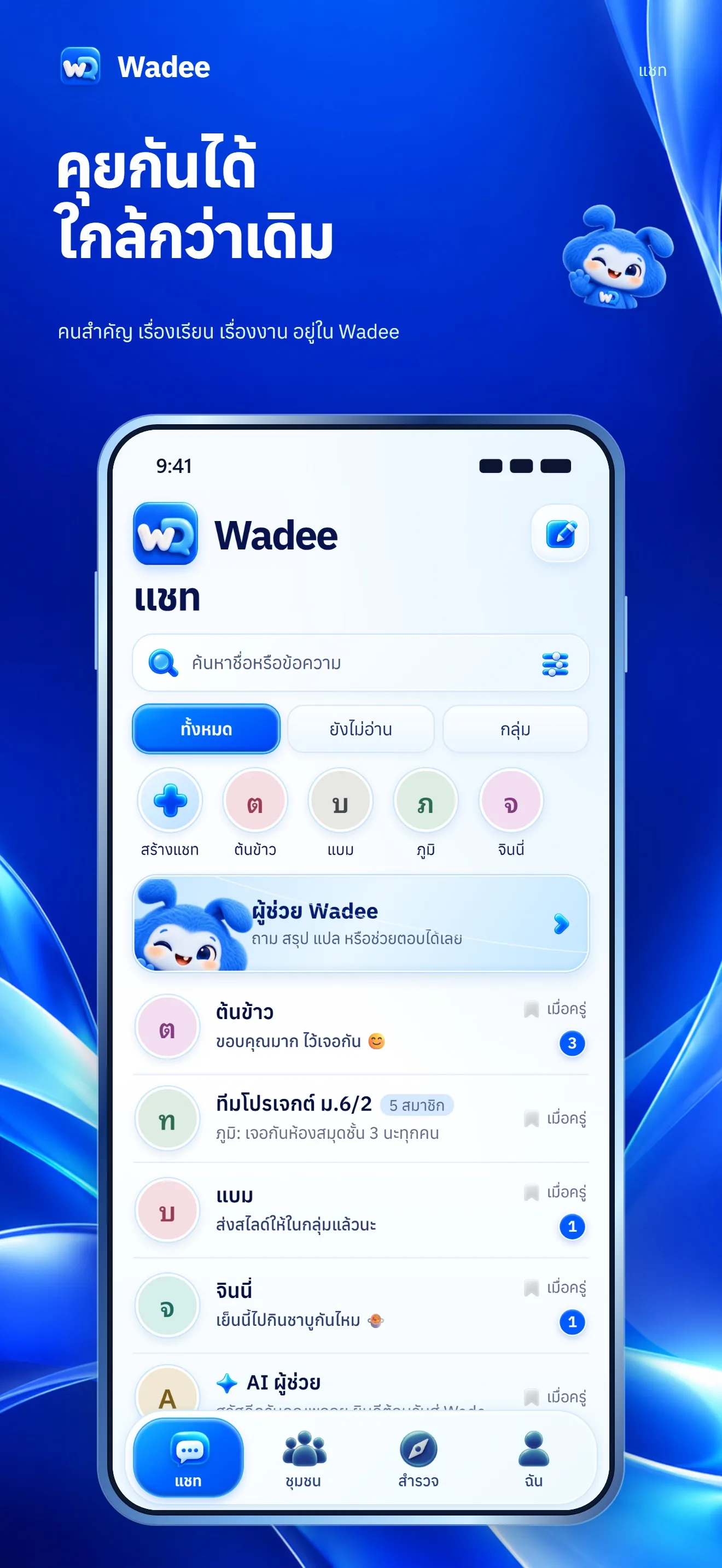
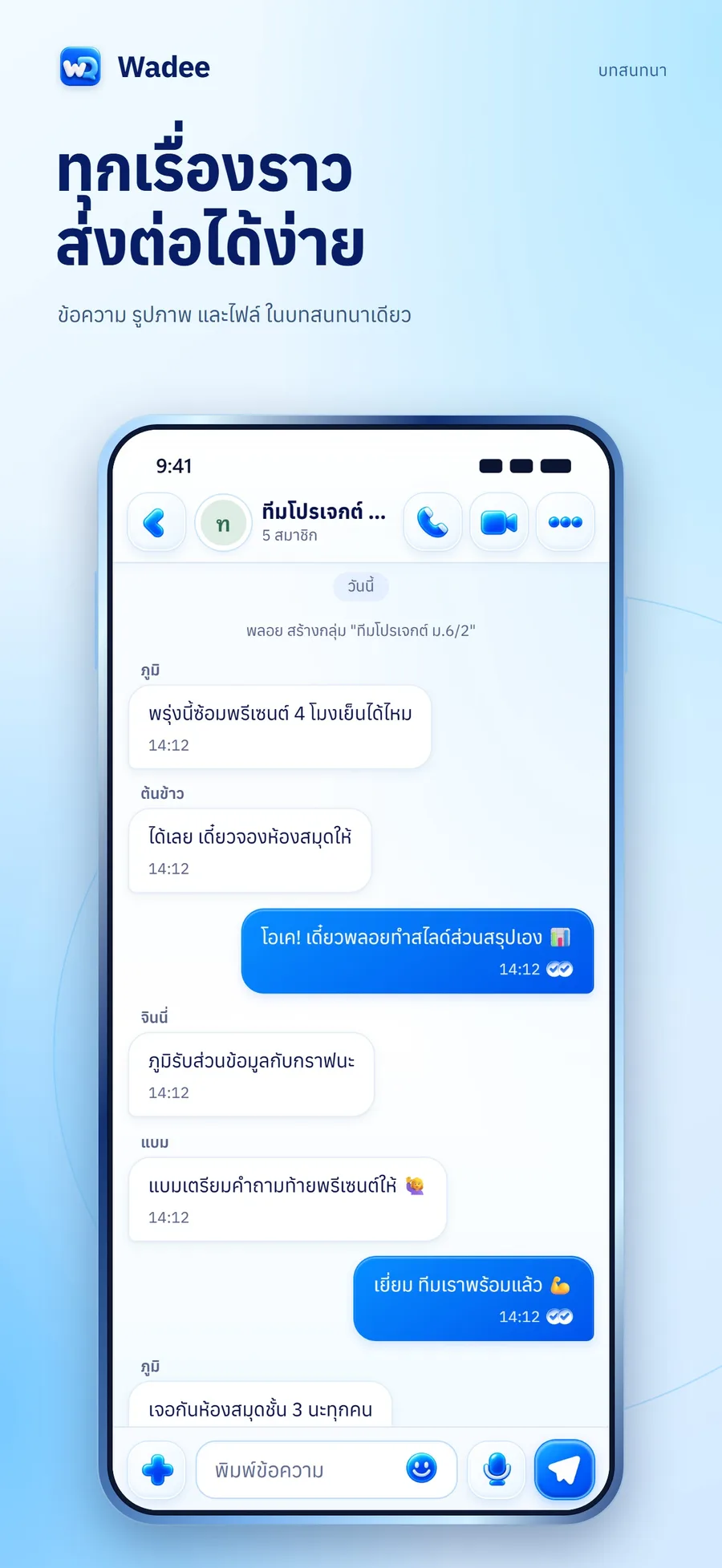
ข้อความแชท 1:1 ถูกเข้ารหัสบนเครื่องก่อนส่ง เซิร์ฟเวอร์เก็บได้แค่ข้อความที่เข้ารหัสแล้ว มีไอคอนกุญแจบอกสถานะ ส่งข้อความ รูป ไฟล์ และข้อความเสียง เห็นสถานะกำลังพิมพ์ และเครื่องหมายอ่านแล้ว ✓✓ ข้อความที่ส่งไม่สำเร็จขึ้นวงแดง "!" พร้อมเหตุผลและแตะส่งใหม่ได้One-to-one messages are encrypted on the device before sending, so the server stores only ciphertext, and a lock icon shows the status. You can send text, photos, files and voice notes, see a typing indicator and ✓✓ read marks, and a failed message shows a red "!" with the reason and a tap to resend.
สำรองกุญแจแชทด้วยรหัสผ่านChat-key backup protected by a password
กุญแจลับถูกล็อกด้วยรหัสผ่านของผู้ใช้ (PBKDF2) แล้วฝากไว้บนเซิร์ฟเวอร์ ใช้ปลดล็อกอ่านข้อความบนเครื่องใหม่ เครื่องที่ยังไม่ปลดล็อกจะส่งแชท 1:1 ไม่ได้ตามที่ตั้งใจ และข้อความเก่าก่อน 5 ต.ค. 2569 เปิดได้เฉพาะเครื่องที่ยังมีกุญแจเดิมThe secret key is locked with the user's password (PBKDF2) and stored on the server, so a new device can unlock and read messages. A device that has not unlocked cannot send one-to-one chats, by design, and messages from before 5 October 2026 open only on devices that still hold the old key.
กลุ่ม ชุมชน และโพลโหวตGroups, communities and polls
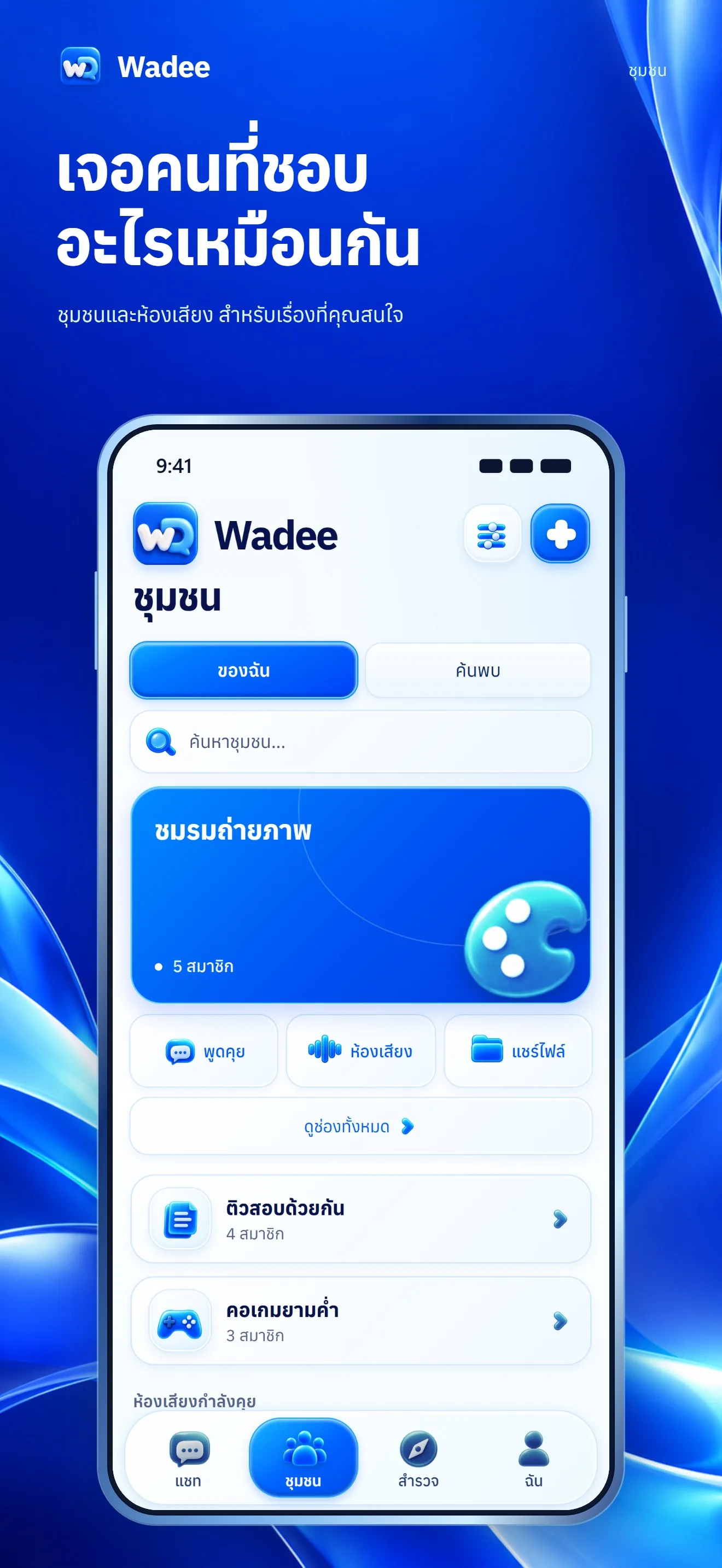
สร้างกลุ่มเองได้โดยชวนได้เฉพาะเพื่อน ชุมชนแบ่งเป็นช่องประกาศ ช่องพูดคุย ช่องไฟล์ และช่องเสียง มีระบบสิทธิ์สมาชิก รายงานและบล็อกผู้ใช้ได้ ในแชทกลุ่มสร้างโพลโหวตและกด "สรุปให้หน่อย" ได้ ซึ่งบนระบบจริงตอนนี้ใช้โหมดพื้นฐานที่ดึงประโยคเด่น ไม่ใช่ AI สร้างข้อความYou can create your own groups and invite only friends. Communities are split into announcement, chat, file and voice channels, with member permissions and report/block tools. In a group chat you can create polls and tap "summarize for me", which today runs in a basic mode that picks out key sentences rather than generating text with AI.
โทรเสียง วิดีโอคอล และห้องเสียงVoice calls, video calls and voice rooms
โทรเสียงและวิดีโอคอลตัวต่อตัว (วิดีโอสลับกล้องได้ ภาพตัวเองกล้องหน้าเป็นกระจก) ถ้าอีกฝ่ายไม่ได้เปิดแอป จะส่งแจ้งเตือน "กำลังโทรหาคุณ" ซ้ำทุก 5 วินาที เก็บสายไว้ 60 วินาที และมี "สายที่ไม่ได้รับ" บน Android สายเข้าใช้เสียงริงโทนยาว 26 วินาที ส่วนห้องเสียงเปิดไมค์คุยพร้อมกันหลายคนOne-to-one voice and video calls (video can switch cameras, and your own front-camera view is mirrored). If the other person's app is closed, a "calling you" notification repeats every 5 seconds and the call is held for 60 seconds, with a "missed call" notice afterwards. On Android, incoming calls use a 26-second ringtone. Voice rooms let several people talk at once.
แจ้งเตือนข้อความและสายเข้าMessage and call notifications
iPhone ใช้แจ้งเตือนของ Apple (APNs) เจ้าของยืนยันบนเครื่องจริงเมื่อ 5 ต.ค. 2569 ว่าใช้ได้ Android ใช้ Firebase Cloud Messaging มีช่องแจ้งเตือนแยก ข้อความ สายเรียกเข้า และสายที่ไม่ได้รับ ตั้งปิดเสียงรายแชท ล้างแชท ตั้งชื่อเล่นเพื่อน และติดดาวได้จากหน้าข้อมูลแชทiPhone uses Apple Push Notifications, which the owner confirmed working on a real device on 5 October 2026. Android uses Firebase Cloud Messaging with separate channels for messages, incoming calls and missed calls. From the chat-info page you can mute a chat, clear it, set a friend nickname and star it.
เกมในแชทและ Game CenterIn-chat games and the Game Center
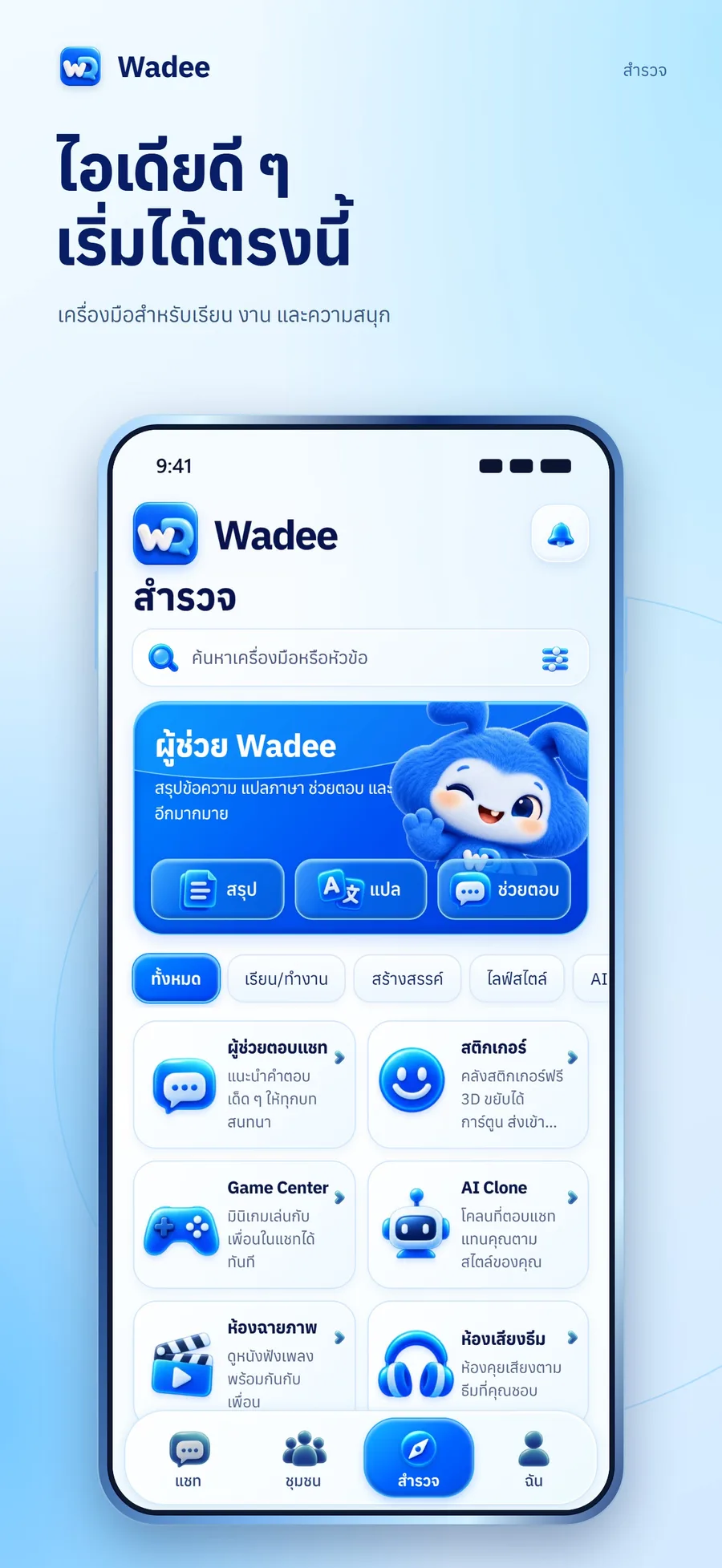
Game Center มี 4 เกม ได้แก่ งูแย่งขนม (1–4 คน) ไพ่สี (2–10 คน) เรียงสี่ (2 คน) และ 2048 เล่นคนเดียวหรือท้าเพื่อนได้ ทุกเกมกด "เล่นคนเดียว" ให้บอทเติมที่นั่ง หรือชวนเพื่อนจากการ์ดในแชท โดยบอทมีป้ายบอกชัดว่าเป็นบอท ห้องเกมอยู่ในหน่วยความจำ ดังนั้นการ deploy ทำให้ห้องที่กำลังเล่นหายThe Game Center has four games: snake (1-4 players), colour cards (2-10), connect four (2) and 2048 (solo or challenge a friend). Every game can be played solo with bots filling seats or opened to friends through a card in the chat, and bots are clearly labelled. Game rooms live in memory, so a server deploy drops rooms in progress.
สติกเกอร์ 1,203 ตัวและธีม1,203 stickers and themes
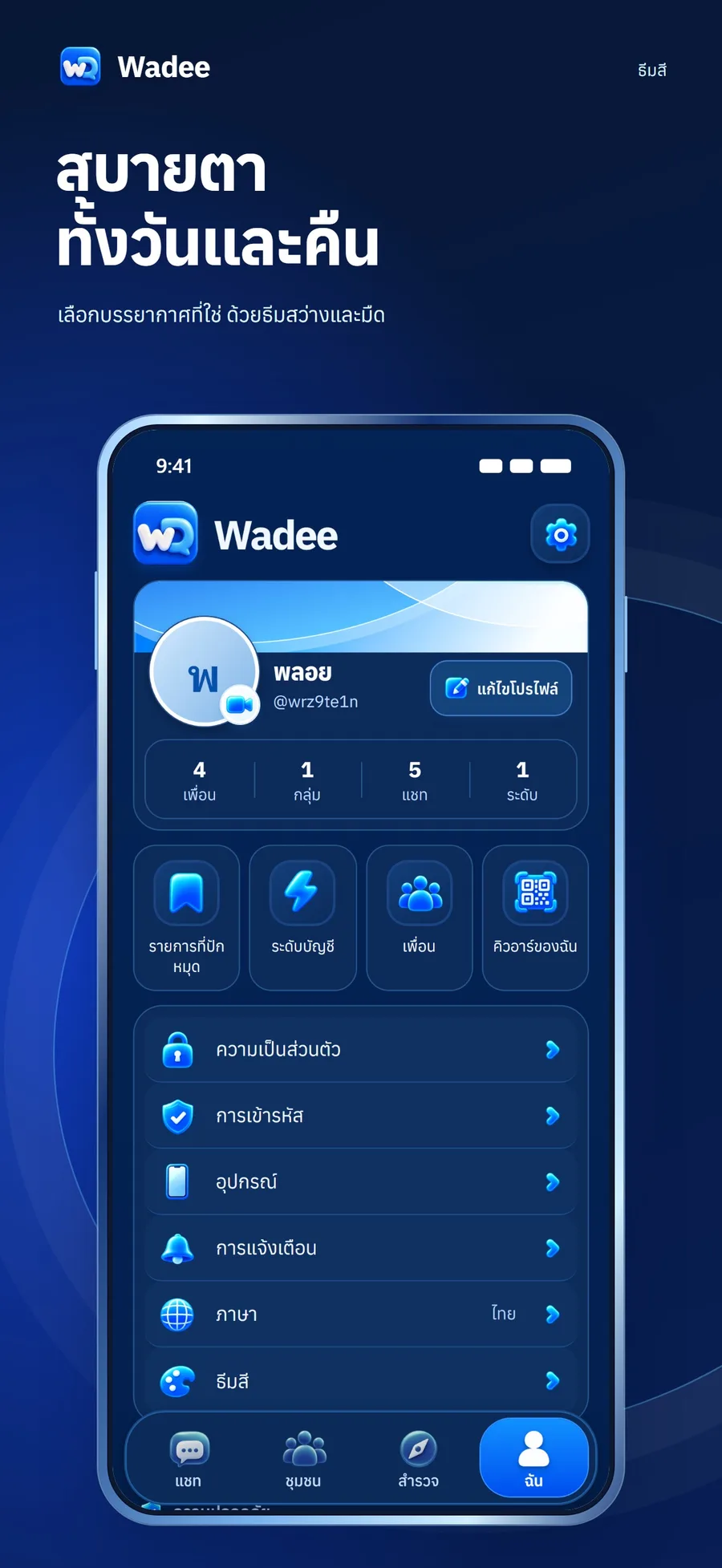
คลังสติกเกอร์ 1,203 ตัวจากชุด Fluent (MIT) และ Noto (CC BY) แอปมีธีมสว่าง สงบ ชมพูอ่อน และมืด ทุกธีมมีตัวหนังสืออย่างน้อย 12px ปุ่มสูง 44px และตัวเลขแจ้งเตือนเป็นสีแดงA library of 1,203 stickers from the Fluent (MIT) and Noto (CC BY) sets. The app has light, calm, soft-pink and dark themes, each with text at least 12px, 44px-tall buttons, and red notification badges.
ผู้ช่วย Wadee และเครื่องมือจัดการข้อความThe Wadee assistant and message tools
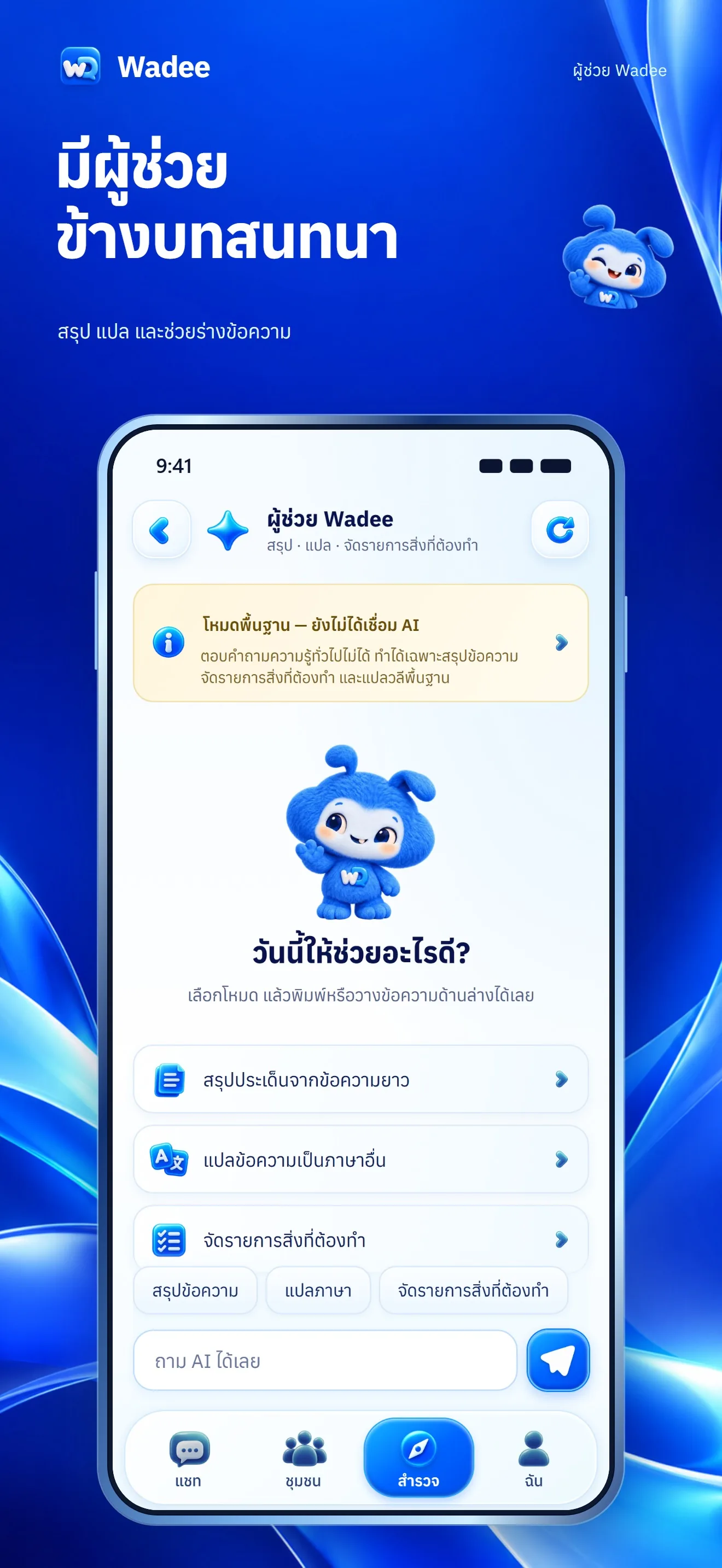
แท็บสำรวจมีผู้ช่วยที่สรุป แปล และจัดรายการสิ่งที่ต้องทำ โหมดที่ใช้อยู่บนระบบจริงทำงานแบบพื้นฐาน เพราะยังไม่ได้ตั้งคีย์ผู้ให้บริการ AI การสร้างภาพด้วย AI ปิดอยู่The Explore tab has an assistant that summarizes, translates and builds to-do lists. The mode running in production is the basic one because no AI provider key has been set, and AI image generation is switched off.
ตัวละครในแชทและส่งแต้มให้เพื่อนChat characters and sending points to friends
โค้ดชุดใหม่เมื่อ 31 ต.ค. 2569 ขึ้นเว็บแล้ว: ตัวละครที่ตั้งอารมณ์ได้ในแชท 1:1 และการส่งแต้มให้เพื่อนเท่านั้น (ครั้งละ 1,000 แต้ม วันละ 2,000 แต้ม) มีบันทึกทุกการเคลื่อนไหวและยืนยัน 2 ขั้น แต่แอปมือถือต้องรอรุ่นใหม่ถึงจะเห็น และการซื้อแต้มด้วยเงินจริงยังไม่เปิดA newer code set from 31 October 2026 is on the web: characters with a mood setting in one-to-one chats, and sending points to friends only (1,000 per transfer, 2,000 per day), with every movement logged and a two-step confirmation. The mobile apps need a new build to show it, and buying points with real money is not open.
หน้าสถิติสำหรับแอดมินAdmin stats page
แอดมินดูหน้า "สถิติแอป" ได้ที่ ฉัน > สถิติแอป ไม่นับบอท บัญชีเดโม และบัญชีที่ปิด ตัวเลขสมัครเริ่มบันทึกตั้งแต่ 7 ต.ค. 2569 บัญชีก่อนหน้านั้นเป็นค่าประมาณAdmins can open an "App stats" page under Me > App stats. It excludes bots, demo accounts and closed accounts. Sign-up dates are recorded from 7 October 2026, and earlier accounts are estimates.
04 · วิธีทำงาน04 · How it works
ทำงานยังไง ตั้งแต่ต้นจนจบHow it works, start to finish
- 1
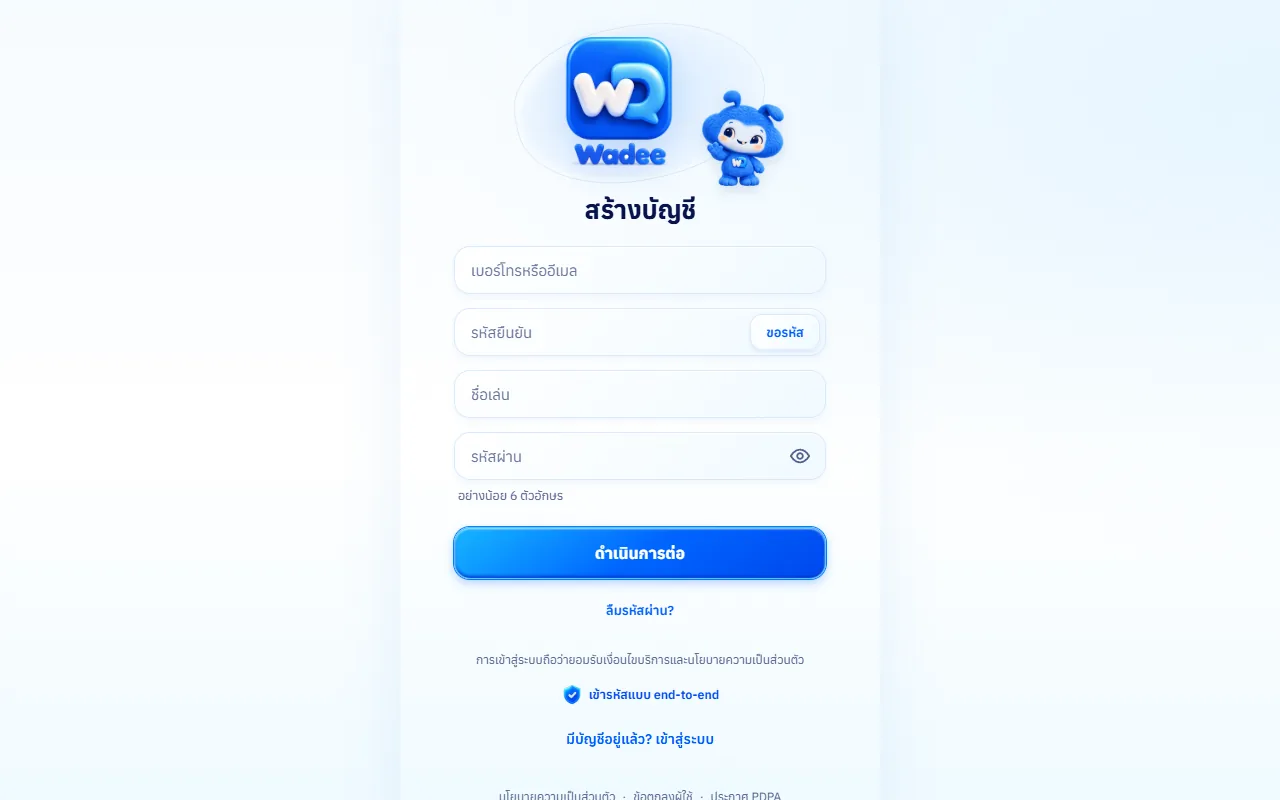
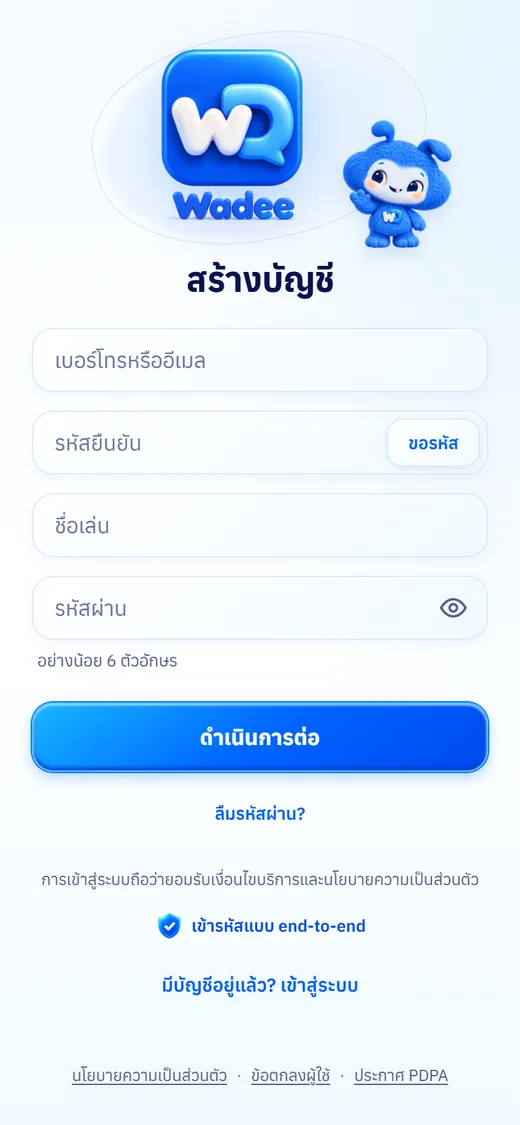
1. สมัครและปลดล็อกกุญแจ1. Sign up and unlock your key
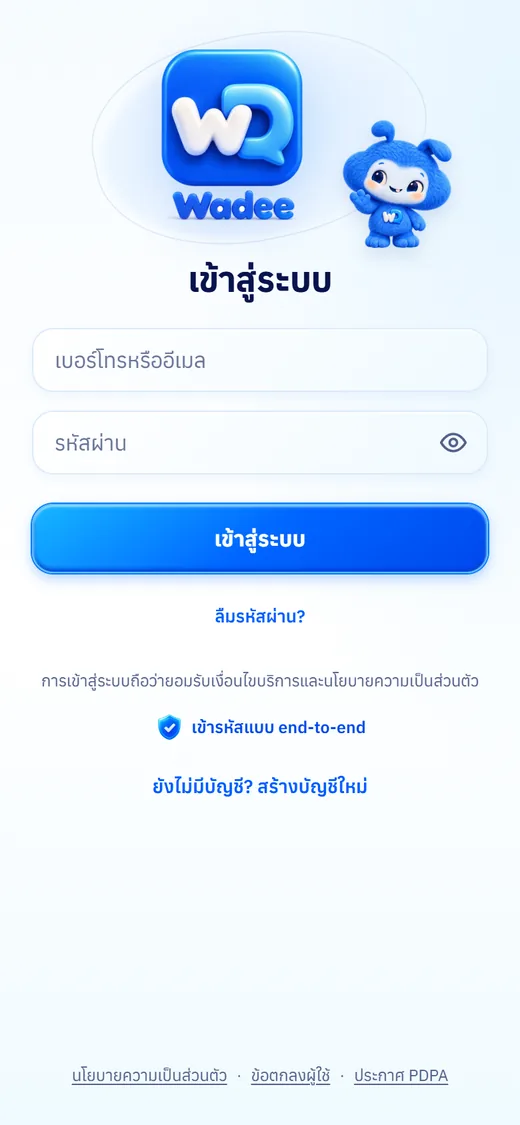
สมัครด้วยเบอร์มือถือและรหัส SMS ตั้งรหัสผ่านเพื่อใช้ล็อกกุญแจแชทของคุณSign up with a mobile number and an SMS code, and set the password that locks your chat key.
- 2
2. เพิ่มเพื่อน2. Add friends
ค้นหาด้วยเบอร์โทรหรือ Wadee ID หรือสแกน QR คำขอเป็นเพื่อนขึ้นเป็นการ์ดในหน้าแชทและแจ้งเตือนเข้าเครื่องSearch by phone number or Wadee ID, or scan a QR code. Friend requests show as a card in the chat tab and as a device notification.
- 3
3. คุยและเข้ารหัส3. Chat, encrypted
ข้อความถูกเข้ารหัสบนเครื่องส่ง ส่งผ่านเซิร์ฟเวอร์เป็นข้อความเข้ารหัส และถอดรหัสบนเครื่องรับMessages are encrypted on the sender's device, relayed by the server as ciphertext, and decrypted on the receiver's device.
- 4
4. โทรและเล่นเกม4. Call and play
กดไอคอนโทรในห้องแชท หรือเลือกเกมจากเมนูแนบแล้วชวนเพื่อน เพื่อนเห็นการ์ดชวนเล่นในแชทและกดเข้าห้องได้ทันทีTap the call icon in a chat, or pick a game from the attach menu and invite a friend, who sees an invitation card in the chat and can join the room at once.
- 5
5. เปลี่ยนเครื่อง5. Switching phones
ล็อกอินบนเครื่องใหม่ แล้วใส่รหัสผ่านเพื่อปลดล็อกกุญแจที่สำรองไว้ ก็อ่านแชทเก่าที่สำรองกุญแจไว้ได้Log in on the new phone and enter your password to unlock the backed-up key, and you can read the chats covered by that backup.
05 · ภาพ05 · Visuals
ภาพจากระบบจริงFrom the real system
11 ภาพ11 imagesภาพหน้าจอจริงถ่ายจากระบบที่เปิดใช้อยู่ ส่วนภาพโปรโมตและภาพประกอบมีป้ายกำกับไว้ทุกใบReal screenshots come from the running system; promo images and illustrations are labelled on every card.
06 · สถานการณ์06 · Scenarios
ตัวอย่างสถานการณ์ใช้งานExample scenarios
เป็นตัวอย่างสมมติเพื่อให้เห็นภาพ ไม่ใช่เรื่องของลูกค้าจริงIllustrative scenarios to help you picture it — not real customer stories.
กลุ่มเพื่อนร่วมรุ่นA class reunion group
สมมติว่าเพื่อนร่วมรุ่นอยากมีที่คุยของตัวเอง สร้างกลุ่ม ชวนเฉพาะเพื่อน ทำโพลโหวตวันนัดเจอ และโทรเสียงคุยกันตอนค่ำSuppose old classmates want a place of their own. They create a group, invite only friends, run a poll for the meet-up date, and talk on a voice call in the evening.
ชุมชนคนรักงานอดิเรกA hobby community
สมมติว่าคนรักถ่ายภาพเปิดชุมชน แยกช่องประกาศ ช่องพูดคุย และช่องไฟล์สำหรับแชร์ภาพ มีห้องเสียงคุยสด และสมาชิกรายงานโพสต์ที่ไม่เหมาะสมได้Suppose photography fans open a community with announcement, chat and file channels for sharing pictures, a live voice room, and members who can report inappropriate posts.
คุยเรื่องส่วนตัวกับครอบครัวPrivate talk with family
สมมติว่าอยากส่งเรื่องส่วนตัวให้คนที่บ้านโดยไม่ให้เซิร์ฟเวอร์อ่านได้ ใช้แชท 1:1 ที่เข้ารหัสและสำรองกุญแจไว้ก่อนเปลี่ยนมือถือSuppose someone wants to send private matters to family without the server being able to read them. They use an encrypted one-to-one chat and back up the key before changing phones.
พักสมองด้วยเกมกับเพื่อนA game break with friends
สมมติว่าเพื่อนสองคนอยากเล่นเรียงสี่ระหว่างคุยกัน ส่งการ์ดชวนในแชท อีกฝ่ายกดเข้าห้อง เล่นได้ทันทีโดยไม่ต้องออกจากแอปSuppose two friends want a game of connect four while chatting. One sends an invitation card in the chat, the other taps in, and they play at once without leaving the app.
07 · เบื้องหลัง07 · Under the hood
เบื้องหลังระบบ ข้อมูล และความปลอดภัยUnder the hood: data and security
- แพลตฟอร์มPlatform
- เซิร์ฟเวอร์ Node.js (Express + Socket.IO) บนโฮสติ้ง Hostinger เว็บเป็น PWA แอป iPhone และ Android สร้างด้วย Capacitor โดยฝังไฟล์เว็บไว้ในตัวแอปA Node.js server (Express plus Socket.IO) on Hostinger hosting. The web client is a PWA, and the iPhone and Android apps are built with Capacitor with the web files embedded in the app.
- การเข้ารหัสและกุญแจEncryption and keys
- แชท 1:1 เข้ารหัสแบบ end-to-end บนเครื่อง กุญแจสำรองล็อกด้วยรหัสผ่านผู้ใช้ผ่าน PBKDF2 แชทกลุ่มและชุมชนไม่ได้เข้ารหัสแบบนี้One-to-one chats are end-to-end encrypted on the device, and the backed-up key is locked with the user's password via PBKDF2. Group and community chats are not encrypted this way.
- แจ้งเตือนNotifications
- iPhone ใช้ APNs แบบเขียนเอง Android ใช้ Firebase Cloud Messaging เว็บใช้ Web Push ถ้าไม่ตั้งคีย์ แจ้งเตือนช่องนั้นจะปิดเงียบiPhone uses a hand-written APNs client, Android uses Firebase Cloud Messaging, and the web uses Web Push. If a key is not set, that channel stays silently off.
- ที่เก็บข้อมูลและไฟล์Data and files
- ฐานข้อมูลและไฟล์อัปโหลดเก็บในโฟลเดอร์ข้อมูลแยกจากโค้ด มีการสำรองฐานข้อมูลอัตโนมัติก่อนการแก้ข้อมูลจริง เคยมีเหตุไฟล์อัปโหลดหายทุก deploy ซึ่งแก้แล้วเมื่อ 5 ต.ค. 2569 แต่ไฟล์ที่หายก่อนหน้านั้นกู้ได้จากสำรองของโฮสต์เท่านั้นThe database and uploaded files live in a data folder separate from the code, with an automatic database backup before any production data fix. Uploads once vanished on every deploy, fixed on 5 October 2026, though files lost earlier are recoverable only from the host's backups.
- การเชื่อมต่อภายนอกExternal services
- SMS ยืนยันตัวตน Firebase (สำหรับ Android) และ APNs ผู้ช่วย AI เต็มรูปแบบต้องตั้งคีย์ผู้ให้บริการและแก้นโยบายความเป็นส่วนตัวก่อนSMS verification, Firebase (for Android) and APNs. A full AI assistant would need a provider key and a privacy-policy update first.
- ข้อจำกัดที่ควรรู้Limits to know
- แอปมือถือฝังเว็บไว้ ของใหม่หลายอย่างต้องรอ build รุ่นใหม่ ส่วน Android ที่ย้ายจาก TWA เป็น Capacitor ทำให้ผู้ใช้เดิมต้องล็อกอินและปลดล็อกกุญแจใหม่ สายเรียกเข้ายังไม่มีหน้าจอเต็มจอแบบ CallKitThe mobile apps embed the web, so many new things wait for a new build, and moving Android from TWA to Capacitor meant existing users had to log in and unlock their key again. Incoming calls still lack a full-screen CallKit-style screen.
08 · ความคืบหน้า08 · Progress
ความคืบหน้าและแผนต่อไปProgress and what comes next
- ทำแล้วDone
3 ต.ค. 2569 หน้าตา Vivid Blue ใหม่ทั้งแอป, Game Center และสติกเกอร์ 1,203 ตัว3 Oct 2026: new Vivid Blue look for the whole app, the Game Center and 1,203 stickers
- ทำแล้วDone
4 ต.ค. 2569 Android 1.0.4 เผยแพร่ใน Google Play4 Oct 2026: Android 1.0.4 published on Google Play
- ทำแล้วDone
5 ต.ค. 2569 แจ้งเตือน iPhone (APNs), สำรองกุญแจแชทด้วยรหัสผ่าน, โทรหาคนที่ไม่ได้เปิดแอป และย้าย Android เป็นแอปเต็มตัว (Capacitor + FCM) ส่ง production 100%5 Oct 2026: iPhone notifications (APNs), password-protected chat-key backup, calling people whose app is closed, and Android moved to a full native app (Capacitor + FCM) sent to 100% rollout
- ทำแล้วDone
6–7 ต.ค. 2569 แก้ต้นเหตุข้อความค้าง/ไม่ถึงเมื่อโฮสต์เปิดหลายโปรเซส, ปิดบัญชีเดโมและลบชุมชนสมมติ, ขึ้นหน้าสถิติแอป6-7 Oct 2026: fixed the cause of stuck or undelivered messages when the host ran several processes, closed the demo accounts and removed the fake communities, and added the app-stats page
- ทำแล้วDone
31 ต.ค. 2569 ตัวละครในแชทและการส่งแต้มให้เพื่อนขึ้นเว็บ31 Oct 2026: chat characters and sending points to friends went onto the web
- กำลังทำIn progress
build แอปรุ่นถัดไป (Android 1.0.6 และ iOS 1.0.7/1.0.8) ให้มีช่องพิมพ์ที่แก้ปัญหาคีย์บอร์ด iPhone และฟีเจอร์ใหม่Building the next app versions (Android 1.0.6 and iOS 1.0.7/1.0.8) with the iPhone keyboard fix and the new features
- ถัดไปNext
หน้าจอสายเข้าเต็มจอ (CallKit / ConnectionService), เปิดการซื้อแต้มผ่านระบบของสโตร์เมื่อเจ้าของเซ็นข้อตกลงสโตร์ครบ และเปิด AI จริงเมื่อมีคีย์A full-screen incoming-call screen (CallKit / ConnectionService), buying points through the stores' own billing once the owner signs the store agreements, and a real AI assistant once a key is set
09 · คำถาม09 · FAQ
คำถามที่พบบ่อยFrequently asked questions
ต้องเสียเงินไหม มีโฆษณาหรือเปล่าDoes it cost money? Are there ads?
ตอนนี้ดาวน์โหลดและใช้งานได้โดยไม่มีการเก็บเงินในแอป และยังไม่มีการขายแต้มผ่านสโตร์ ส่วนนโยบายราคาในอนาคตและเรื่องโฆษณายังไม่ได้กำหนดเป็นทางการRight now the app can be downloaded and used with no in-app charge, and points are not yet sold through the stores. Future pricing policy and any advertising have not been formally decided.
เซิร์ฟเวอร์อ่านแชทของฉันได้ไหมCan the server read my chats?
แชทตัวต่อตัวถูกเข้ารหัสบนเครื่อง เซิร์ฟเวอร์เห็นเฉพาะข้อความเข้ารหัส แต่แชทกลุ่มและชุมชนไม่ได้เข้ารหัสแบบนี้One-to-one chats are encrypted on the device and the server sees only ciphertext, but group and community chats are not encrypted this way.
เปลี่ยนมือถือแล้วแชทเก่าหายไหมDo I lose old chats on a new phone?
ถ้าตั้งรหัสผ่านสำรองกุญแจไว้ ปลดล็อกบนเครื่องใหม่แล้วอ่านได้ ข้อความก่อน 5 ต.ค. 2569 เปิดได้เฉพาะเครื่องที่ยังมีกุญแจเดิมIf you set a key-backup password, you can unlock on the new phone and read them. Messages from before 5 October 2026 open only on devices that still hold the old key.
ใช้บนคอมพิวเตอร์ได้ไหมCan I use it on a computer?
ได้ เปิดเว็บ wadee.zzaxstudio.com ในเบราว์เซอร์Yes, open wadee.zzaxstudio.com in a browser.
ผู้ช่วย AI ฉลาดแค่ไหนHow smart is the AI assistant?
ตอนนี้ทำงานแบบพื้นฐานบนเครื่องหรือบนเซิร์ฟเวอร์โดยไม่ใช้โมเดลภาษาภายนอก เช่น ดึงประโยคเด่นมาสรุป ยังไม่ใช่ AI สร้างข้อความเต็มรูปแบบRight now it works in a basic mode without an external language model, for example picking out key sentences to summarize. It is not yet a full generative AI.
ใครดูแลระบบWho runs it?
ZZAX Studio ผู้พัฒนาเดียวกับแอปอื่นในพอร์ตโฟลิโอนี้ZZAX Studio, the same developer behind the other apps in this portfolio.
10 · วิธีเริ่ม10 · Get started
เริ่มได้ใน 3 ขั้นUp and running in three steps
ถ้าอยากได้ระบบแบบเดียวกันสำหรับธุรกิจของคุณ บอกโจทย์มาสั้น ๆ เราตอบกลับพร้อมขอบเขตงานและราคาภายใน 1 วันทำการIf you want something like this for your own business, send us a line about the problem. You'll get scope and price within one working day.
- 1ขั้นที่ 1 โหลดแอปจาก App Store หรือ Google Play (หรือเปิด wadee.zzaxstudio.com) แล้วสมัครด้วยเบอร์มือถือไทยและรหัส SMSStep 1: Download from the App Store or Google Play (or open wadee.zzaxstudio.com) and sign up with a Thai mobile number and SMS code
- 2ขั้นที่ 2 เปิดการแจ้งเตือน แล้วเพิ่มเพื่อนด้วยเบอร์โทร Wadee ID หรือสแกน QRStep 2: Turn on notifications, then add friends by phone number, Wadee ID, or QR code
- 3ขั้นที่ 3 สร้างกลุ่มหรือชุมชนของคุณเอง แล้วชวนเพื่อนเข้ามาคุยStep 3: Create your own group or community and invite your friends in
เริ่มงานกับเราWork with us
อยากได้ระบบแบบนี้สำหรับธุรกิจคุณWant a system like this for your business?
เล่าปัญหาของคุณมา เราจะบอกตรง ๆ ว่าช่วยได้ไหม ภายใน 1 วันทำการ ส่งแล้วได้รหัสติดตามงานทันทีTell us the problem and we'll say honestly whether we can help, within one working day. You get a tracking code the moment you send it.